
Introduction
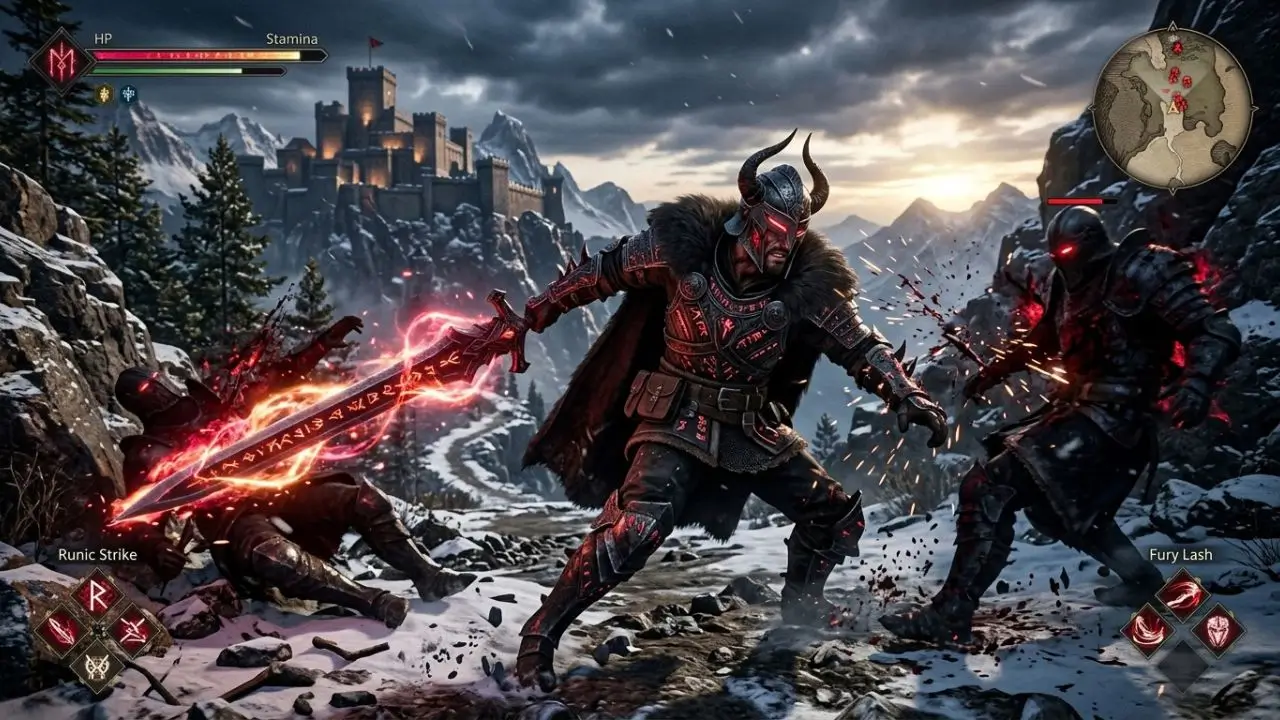
Crimson Desert mods are an exciting topic for players who wish to tailor this already expansive open-world adventure more closely to their own preferences. Developed by Pearl Abyss, this action-adventure title combines a vast fantasy world with intense combat, exploration, character progression, and numerous gameplay systems. With a game of this scale, the question naturally arises as to what possibilities exist beyond the official game mechanics.
Mods can alter a game in a wide variety of ways. Some adjustments focus on graphics, while others target user interfaces, character models, quality-of-life features, or specific gameplay elements. However, this does not automatically mean that every desired mod is available or safe to use for every game. The actual possibilities depend heavily on the game’s technical architecture, the available modding tools, and the community.
Thanks to its open world, Crimson Desert offers numerous aspects that could appeal to creative players. Those particularly interested in expansive, narrative-driven adventures will also find many compelling examples among best story games
Anyone interested in Crimson Desert mods should therefore distinguish between official settings, community mods, and experimental changes. Making this distinction helps in setting realistic expectations and avoiding potential issues during the installation or updating of mods.
What exactly are Crimson Desert mods?
Mods are modifications created by players or independent developers that alter specific components of a video game. Depending on the game, such modifications might include new textures, models, user interfaces, animations, gameplay features, or technical improvements. A mod does not necessarily have to represent a massive overhaul; even a minor tweak to a menu’s appearance can count as a modification.
The subject is particularly interesting in the case of Crimson Desert because the game features a technically sophisticated world with detailed characters, environments, and extensive animations. This creates many areas that could theoretically be of interest for community customization. At the same time, the game’s complex technical foundation makes modding more challenging. A game can certainly receive strong support from the community without necessarily having extensive modding tools available.
Difference between mods and official settings
Not every change to the game requires a mod. Graphics settings, resolution, control options, and certain quality-of-life features are part of the game’s standard functionality. A mod, on the other hand, goes beyond what the developers officially intended as a setting.
This distinction is helpful for players who simply want to make *Crimson Desert* a bit more comfortable to play. For instance, anyone wishing to alter the visuals should first check what options the game itself offers. A community-created solution only becomes relevant if a desired adjustment isn’t officially possible.
Why are players interested in mods?
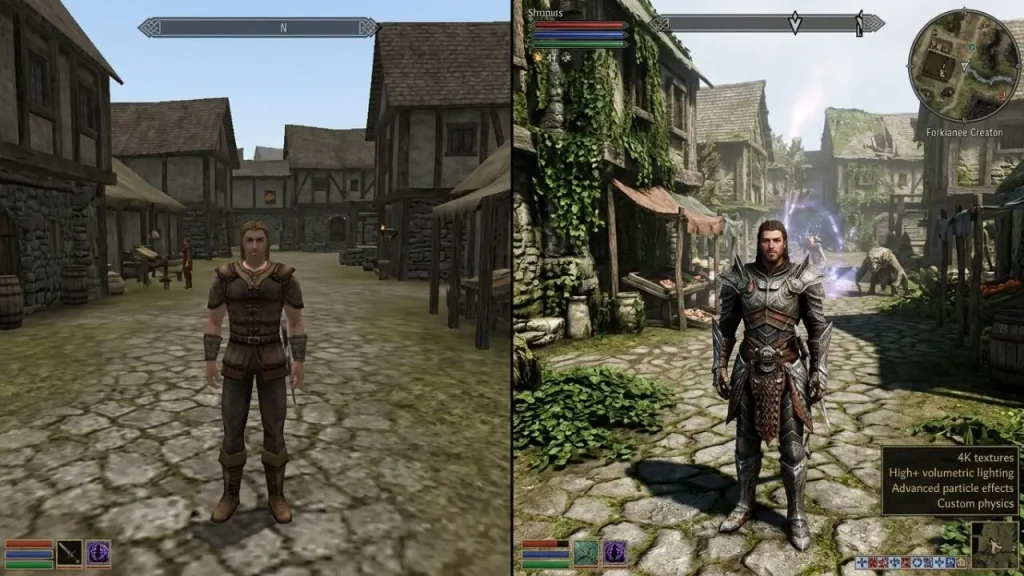
The appeal of mods lies primarily in personalization. Players often spend many hours in vast open-world games, leading them to develop distinct preferences. One player might want a highly realistic look, while another prefers a cleaner user interface or additional quality-of-life features.
Mods can also extend a game’s lifespan. An active community can experiment with new ideas that weren’t part of the developers’ original plans. This can create a secondary layer to the gaming experience that evolves independently of the official content.
What types of mods might be interesting for *Crimson Desert*?
One of the most interesting categories is visual customization. In a game featuring a vast, detailed fantasy world, tweaks to colors, lighting, textures, or visual effects can make a significant difference. Some players might prefer a cinematic look, for example, while others desire the most natural appearance possible.
Graphics mods can range from minor tweaks to extensive visual overhauls. A mod might, for instance, replace specific textures or alter the appearance of individual elements. However, with extensive modifications, care must be taken to ensure that the altered files remain compatible with the current version of the game.
Character and Equipment Mods
Character models and equipment are another area that frequently attracts the attention of modding communities. Players are often interested in altering the appearance of specific characters or using alternative designs. In a fantasy game like *Crimson Desert*, this offers a wide range of creative possibilities.
Such mods can be particularly appealing because they can change the feel of the game without necessarily altering its core mechanics. For instance, a new look for a character or a piece of equipment can add variety while leaving the actual combat and progression systems intact.
Quality-of-Life and Interface Mods
Not every mod needs to be spectacular. Small improvements to the user interface can prove far more practical during day-to-day gameplay. Examples include clearer menus, modified display elements, or adjustments that make specific information easier to see.
A well-designed user interface can make a significant difference, especially in expansive open-world games. However, the actual availability of such mods depends on which files and systems are accessible to the community and what tools are developed for the game.
How does modding work for a technically complex game?
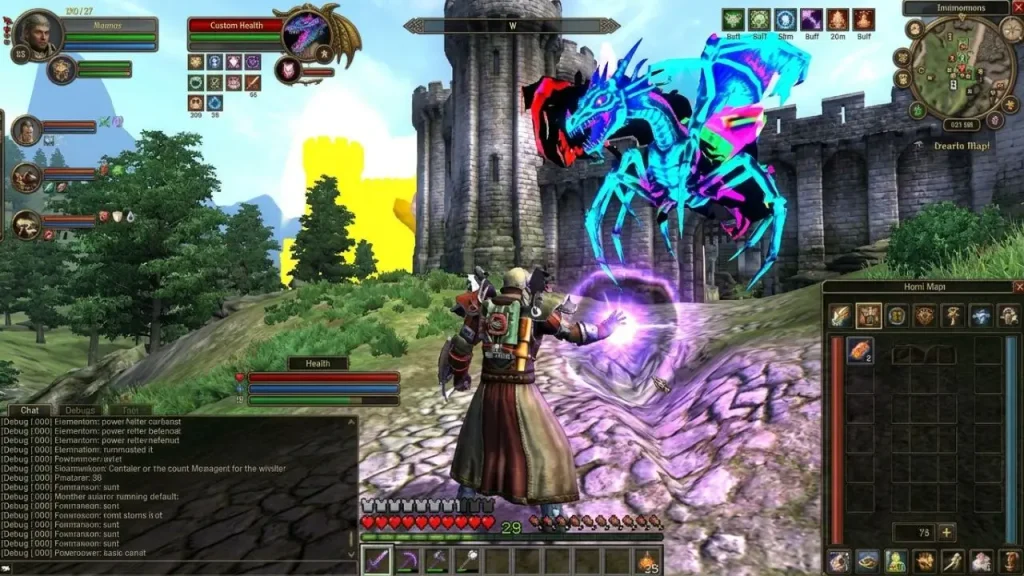
Modding involves more than just copying a file into a specific folder. Depending on the game, modifications may require different file formats, tools, or specialized installation methods. For technically demanding games, modders must first understand how specific assets are stored and loaded by the game.
This explains why some games develop massive modding communities, while others—despite their popularity—have very few mods. The size of the player base isn’t the only deciding factor; technical accessibility, documentation, community tools, and developer support also play crucial roles.
Why updates can cause problems
A common issue with modding is game updates. When developers modify files, systems, or internal structures, a previously functional mod may suddenly stop working correctly. Therefore, before a major update, players should check the official patch notes and subsequently verify whether their installed mods remain compatible with the current version.
That is why players should check the compatibility of their installed mods before a major update. Especially when significant changes are involved, it is advisable to back up important original files and carefully follow the specific mod’s installation instructions.
Backups are essential
Creating a backup is one of the simplest precautionary measures in modding. Before replacing or modifying files, players should know how to restore the game to its original state. This saves a great deal of time if a mod fails to work properly.
Save files also require special attention. Not every mod automatically alters saved data, but extensive gameplay adjustments can lead to unexpected issues. Creating a separate save file before installing a major mod is therefore a sensible precaution.
Are Crimson Desert mods safe?
The safety of a mod depends heavily on its source and content. Not every file offered as a mod is automatically trustworthy. Players should exercise caution, especially with unfamiliar download sites. In the worst-case scenario, a supposed mod could contain tampered files or unwanted software.
Therefore, when looking at mods, one shouldn’t focus solely on attractive screenshots or high download counts. A clear description, transparent installation instructions, and an active community can indicate whether a project is being reliably maintained. However, this does not replace the need for personal caution.
What should you check before installation?
Before installing a mod, you should first determine which game version it was designed for. You should also check which files are being modified and whether additional programs or tools are required.
The ability to uninstall the mod is equally important. A good mod description should explain how to remove the changes. Exercise particular caution if an installation overwrites numerous system files without providing a reliable way to revert to the original state.
Mods and online features
Extra caution is required for games with online features. A mod that only alters local graphics files is fundamentally different from one that interferes with gameplay or network processes.
Players should therefore always adhere to the game’s specific rules. A mod that works perfectly in an offline game is not necessarily suitable for use with online features. Anyone using modifications should know exactly which part of the game is being affected.
How might the Crimson Desert modding scene evolve?
The development of a modding community depends on several factors. If many players want to create their own content and suitable tools become available, an extensive scene can emerge. It becomes particularly interesting when modders gain access to clear documentation or powerful community tools.
Thanks to its open world, Crimson Desert offers numerous areas that could appeal to creative players. Character designs, visual customizations, user interfaces, and various quality-of-life features could prove to be interesting areas for modders in the long run. However, which of these actually become popular depends on the community and the technical possibilities.
Community projects can have staying power
An active modding scene rarely develops fully within just a few days. Often, small projects emerge first. Later, modders learn from one another, develop shared tools, and improve existing projects.
In this way, a larger community can grow out of individual experiments. Forums, modding platforms, and discussion groups play an important role here, as they allow for the sharing of experiences regarding installation, compatibility, and troubleshooting.
Not every mod has to alter gameplay
A common misconception is to associate mods exclusively with cheats or drastic gameplay changes. In reality, modifications can vary widely. A minor visual tweak can be a mod just as much as an extensive new feature.
For Crimson Desert, this means that players might find very different types of mods appealing. Some may simply want to change the visuals, while others desire additional quality-of-life features. Still others might be primarily interested in creative character or equipment designs.
Tips for players wanting to try out Crimson Desert mods
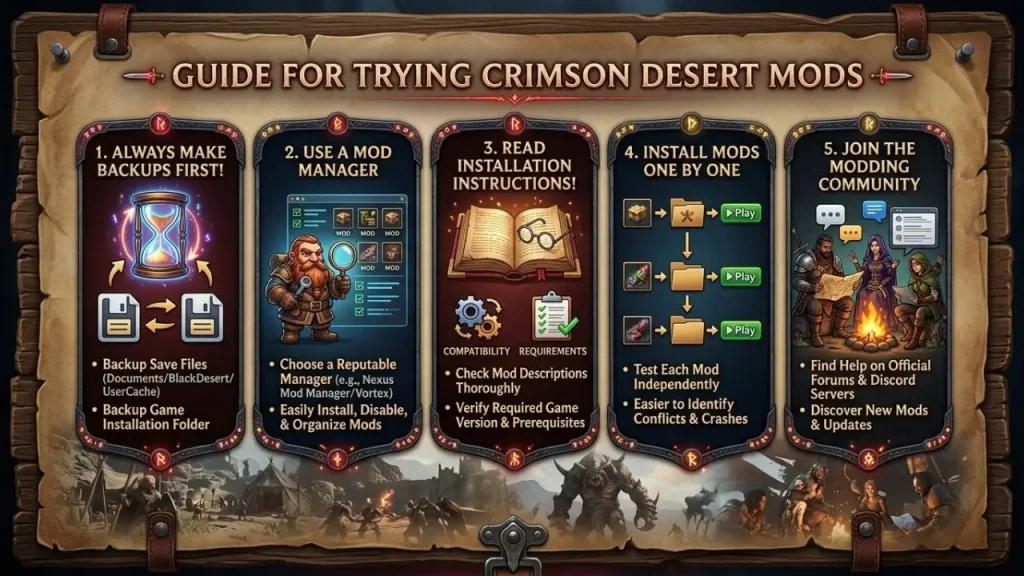
Those wishing to try out mods should start with small, manageable changes. A simple visual mod is usually easier to understand than a complex modification that alters multiple game systems. This allows you to familiarize yourself with the installation process step by step.
In addition, you should always read the installation instructions in full. Even if a mod appears straightforward at first glance, there may be specific prerequisites—such as a particular game version or additional modding tools.
Another sensible step is to document the changes you make. If you install multiple mods, you should keep track of which files have been modified; this makes it easier to identify the potential culprit should an error occur later.
You should avoid simply re-enabling all mods after a game update. Instead, it is advisable to first check whether the individual projects have been updated for the new version. In the case of major changes, you might need to temporarily disable a mod until a compatible version becomes available.
Conclusion
Crimson Desert mods offer intriguing possibilities for players looking to customize the game beyond its official settings. From graphical tweaks and character designs to user interface adjustments and quality-of-life improvements, there are numerous areas that could appeal to a modding community.
At the same time, modding should not be approached carelessly. Factors such as compatibility, backups, secure file sources, and the current game version play a crucial role. By keeping these fundamentals in mind, players can experiment with community modifications in a much more controlled manner.
Ultimately, the extent of the Crimson Desert modding scene will depend on technical capabilities and community engagement. Especially with a major open-world title, it will be exciting to see what creative projects players develop in the future.
Frequently Asked Questions About Crimson Desert Mods
1. Are there Crimson Desert mods available yet?
The availability and scope of mods can change over time. For a current game, you should always check whether a mod is compatible with your installed version of the game.
2. Can mods alter the graphics in Crimson Desert?
In principle, graphical modifications can alter colors, textures, models, or other visual elements, provided the game’s technical structure allows for such adjustments. The actual possibilities depend on the available modding tools.
3. Are Crimson Desert mods free?
Many community-created mods are offered for free. However, some projects may involve optional support models or other conditions. You should therefore read the specific project description before installing.
4. Can mods damage the game?
An incompatible or incorrectly installed mod can cause crashes, graphical glitches, or other issues. Backing up important files and save games can help restore the game to its original state.
5. Should I check mods after a game update?
Yes. A major update can alter the game’s technical foundation. An older mod might no longer function correctly as a result. Therefore, you should always verify compatibility with the current version before re-enabling a mod.