

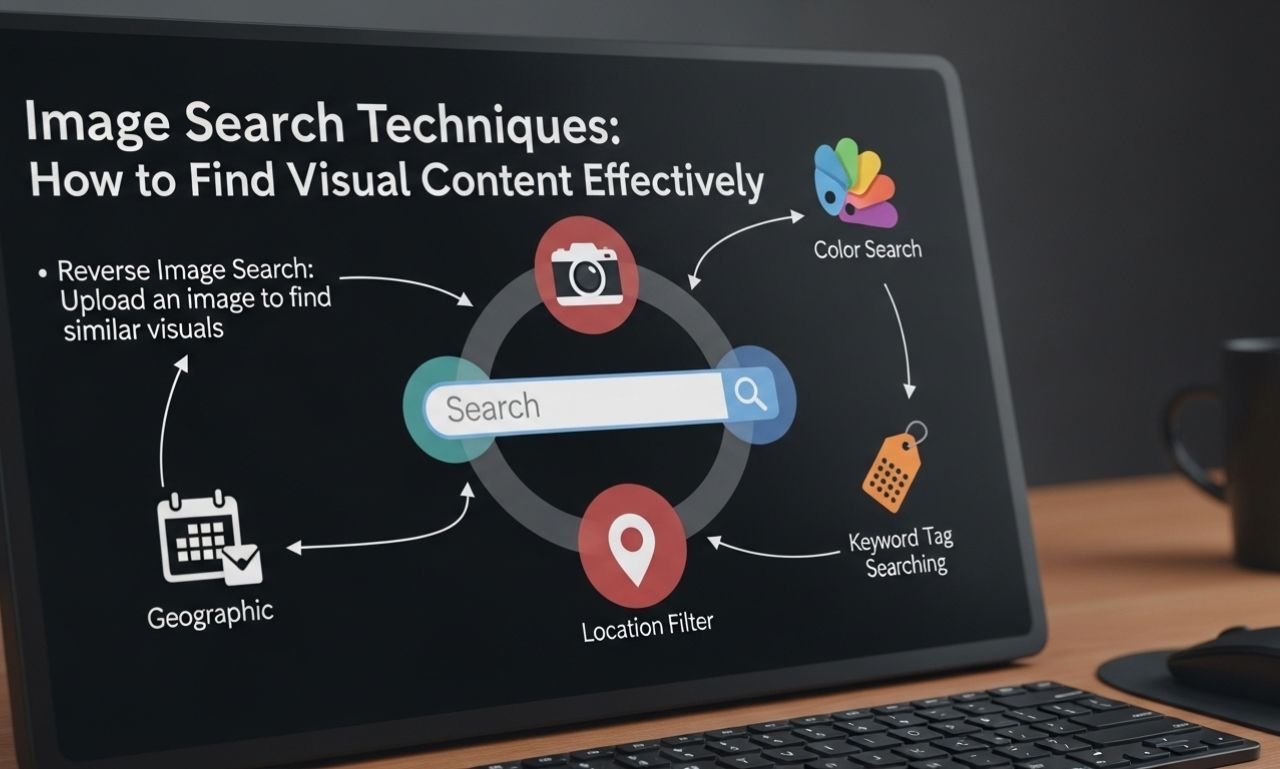
In today’s digital world, images play a powerful role in communication, marketing, research, and content creation. Whether you are a blogger, designer, student, journalist, or digital marketer, knowing the right image search techniques can save time and dramatically improve your results.
Most people simply type a keyword into a search engine and scroll endlessly. But professionals use advanced strategies to find high-resolution images, verify authenticity, track image sources, and discover similar visuals.
This complete guide will teach you beginner to advanced methods for finding exactly what you need — faster and smarter.
What Are Image Search Techniques?
Image search techniques are structured methods used to find, filter, analyze, and verify images online using search engines and specialized tools.
Instead of basic searching, these techniques help you:
- Locate high-quality visuals
- Find copyright-free images
- Identify original sources
- Perform reverse image searches
- Discover similar or related visuals
- Filter by size, color, and usage rights
Mastering these skills improves efficiency and accuracy.
Why Image Search Techniques Are Important
Understanding why these strategies matter helps you use them effectively.
1. Saves Time
Advanced filtering reduces endless scrolling.
2. Improves Content Quality
Better visuals increase engagement and professionalism.
3. Avoids Copyright Issues
Filtering by usage rights protects you legally.
4. Helps Verify Authenticity
Reverse searching prevents misinformation.
5. Enhances Research Accuracy
Finding original image sources improves credibility.
These benefits make proper searching an essential digital skill.
Basic Image Search Techniques for Beginners
If you’re new to visual searching, start with foundational methods.
1. Keyword Optimization Image Search Techniques
golden retriever puppy white background high resolution
Adding details improves results instantly.
Tips:
- Include color
- Add location
- Specify orientation (portrait/landscape)
- Mention resolution (HD, 4K)
2. Filter-Based Image Search Techniques
Most search engines allow filtering by:
- Size
- Color
- Type (photo, clipart, GIF)
- Time
- Usage rights
Using filters dramatically improves relevance.
3. Usage Rights Image Search Techniques
If you use images for blogs or commercial projects, always check licensing.
Look for filters like:
- Creative Commons
- Free for commercial use
- No attribution required
Never assume an image is free just because it appears in search results.
Advanced Image Search Techniques for Professionals
Once you understand basics, move to advanced strategies.
4. Reverse Image Search Techniques
Reverse searching helps you find the origin of an image.
You can upload an image or paste a URL into tools like:
- Google Images
- TinEye
This method helps you:
- Identify fake images
- Track original creators
- Find higher resolution versions
- Discover where the image is used
Reverse search is especially useful for journalists and researchers.
5. Similar Image Search Techniques
Sometimes you like an image but want alternatives.
After searching, click on visually similar results to discover related styles, angles, or compositions.
This works well for:
- Product photography
- Stock visuals
- Branding consistency
6. Advanced Operators Image Search Techniques
Search engines allow advanced commands.
Examples:
- site:example.com (search within a specific website)
- filetype:png (find specific formats)
- “exact phrase” (find exact matches)
These operators narrow results effectively.
Image Search Techniques for High-Resolution Results
Quality matters in digital publishing.
7. High-Resolution Image Search Techniques
To find large images:
- Use size filter (Large)
- Add keywords like “4K,” “HD,” “Ultra HD”
- Check dimensions before downloading
High-resolution images improve website design and marketing material quality.
8. RAW and Professional Image Search Techniques
For photographers and designers, searching for RAW files or large PNG formats is useful.
Add:
- RAW
- PSD
- Transparent background
- High DPI
This helps locate editable or print-quality files.
Bloggers need images that are both relevant and optimized.
Search for images aligned with your blog’s focus keyword.
Example:
If your article is about productivity tips, search:
productivity workspace minimal desk setup
Matching visuals with keywords strengthens topical relevance.
10. Alt-Text Optimized Image Search Techniques
After finding images:
- Rename file properly.
- Add descriptive alt text.
- Compress for faster loading.
Image optimization improves search rankings.
Image Search Techniques for Copyright Safety
Copyright violations can cause serious problems.
11. Copyright-Safe Image Search Techniques
Use trusted stock platforms like:
- Unsplash
- Pexels
- Pixabay
These websites offer free-to-use images with clear licensing.
Always read usage terms before downloading.
Image Search Techniques for Social Media Creators
Social media requires visually engaging content.
12. Trend-Based Image Search Techniques
Search for:
- Current trends
- Seasonal visuals
- Trending color palettes
Adding “2026 trend” or current year can improve relevance.
13. Platform-Specific Image Search Techniques
Different platforms require different dimensions.
For example:
- Instagram prefers square or vertical.
- YouTube thumbnails require 1280×720.
- Pinterest prefers tall images.
Search by specific dimension to save editing time.
Image Search Techniques for Academic Research
Students and researchers must verify authenticity.
14. Source Verification Image Search_Techniques
Use reverse image search to:
- Confirm original publication date
- Identify manipulated visuals
- Find original context
This reduces misinformation.
15. Historical Image Search_Techniques
For older images:
- Add year
- Add location
- Use site:gov or site:edu for credible sources
Historical accuracy improves research quality.
Common Mistakes in Image Search_Techniques
Avoid these errors:
1. Ignoring Copyright
Always check licensing.
2. Using Low-Quality Images
Blurry images reduce professionalism.
3. Not Verifying Source
Reverse search when in doubt.
4. Overloading with Large Files
Compress images for web performance.
Best Practices for Effective Image Search_Techniques
Follow these practical guidelines:
- Be specific with keywords
- Use filters consistently
- Verify authenticity
- Optimize before uploading
- Match visuals to audience intent
Small improvements make a big difference.
The Future of Image Search_Techniques
Technology continues to evolve.
Artificial intelligence now allows:
- Visual recognition
- Object detection
- Facial recognition
- Context-based searching
Search engines are becoming smarter and more intuitive, making it easier to find exactly what you need.
Frequently Asked Questions About Image Search_Techniques
How do I find the original source of an image?
Use reverse search tools like Google Images or TinEye.
Are images from search engines free to use?
Not always. Always check usage rights.
How can I find copyright-free images?
Use stock platforms with clear licensing policies.
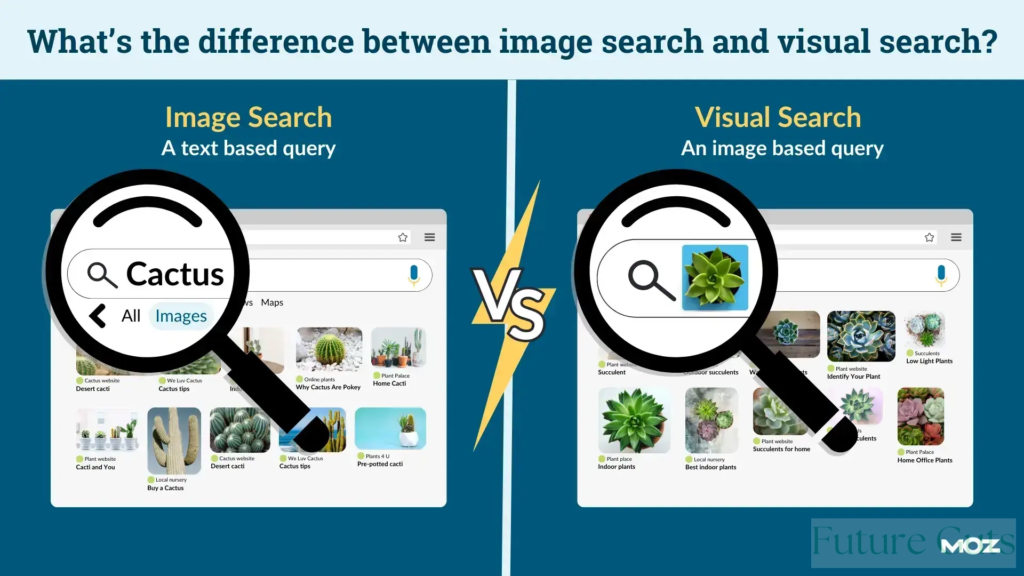
What is reverse image search?
It allows you to search using an image instead of text.
Final Thoughts on Image Search_Techniques
Mastering the right image search techniques saves time, improves content quality, and protects you from copyright issues. Whether you’re a blogger, marketer, researcher, or student, structured searching gives you a major advantage.
Instead of randomly browsing results, use filters, advanced operators, reverse search tools, and copyright-safe platforms.
Smart searching leads to better visuals — and better visuals lead to better results.
