

Anyone who owns a PlayStation will sooner or later encounter the PlayStation Store. For many players, it has long since become more than just a digital shop. It is a place to discover new games, purchase expansions, find free content, re-download previously purchased titles, and manage a wide range of digital products.
The major advantage of digital shopping lies in its convenience. Instead of visiting a store or waiting for a delivery, you can purchase and download a game directly via the console. This is particularly practical for large games, as the entire purchasing and downloading process takes place digitally.
If you prefer narrative adventures, you might also want to try Beacon Pines—a game where story, atmosphere, and choices play a key role.
At the same time, the vast selection can sometimes feel overwhelming. Amidst new releases, special offers, expansions, virtual items, and various editions, it is not always immediately clear which product you actually need. That is why it pays to understand the store’s key areas and functions.
The PlayStation Store is also closely linked to your specific PlayStation account. Consequently, purchases, digital licenses, and downloaded content are not merely stored on a single disc. This makes digital ownership convenient, though it also entails certain specifics that buyers should be aware of.
What is the PlayStation Store, and what can you buy there?
The PlayStation Store is the official digital marketplace for PlayStation consoles and compatible devices. It offers an extensive selection of games and digital content. This includes, among other things, full PS5 and PS4 games, expansions, add-on content, and select free titles.
The interface is designed to make finding games quick and easy. For example, users can search for a specific title or browse new releases, popular games, and special offers. Those who aren’t sure what they want to play yet can discover new titles this way.
A digital purchase differs from a traditional disc version. With a disc, the buyer owns a physical medium used to install or launch the game. In contrast, a digital purchase links a license to the user’s PlayStation account. The game can subsequently be downloaded again from the relevant library, provided the necessary conditions are met.
Games, expansions, and additional content
In addition to full games, the store offers numerous expansions. Large-scale role-playing games, for instance, may feature new storylines, areas, or characters. Racing and sports games often include additional content, while multiplayer games sometimes offer cosmetic items or other digital products.
Different editions of a game may also be available. A standard edition might contain only the base game, whereas a deluxe or premium version includes extra content. It is therefore advisable to carefully check which version is being selected before making a purchase.
This is particularly important if a player already owns the standard version. An add-on package might be an expansion that requires the base game to function. Accidentally purchasing a product that is incompatible with one’s specific version or platform can lead to unnecessary complications later on.
How do you buy and download games from the PlayStation Store?
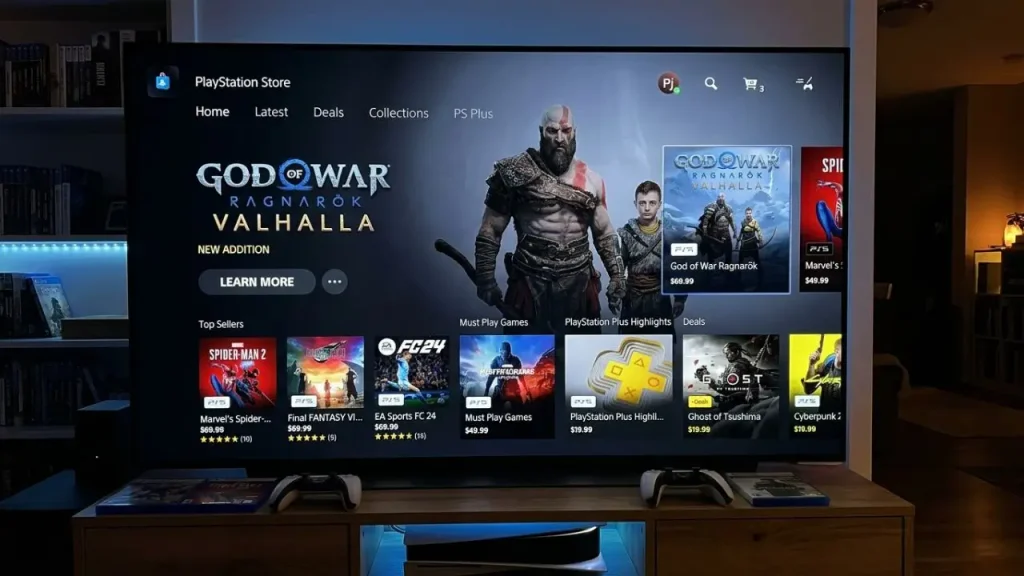
Buying a game usually begins with selecting the desired product. Details such as the price, edition, and any additional information are then displayed. Before confirming the purchase, you should carefully verify that you have selected the correct platform and version.
Once payment is successfully completed, the digital purchase is linked to the relevant account, and the download can begin. However, a large game can require a significant amount of storage space on a modern console. It is therefore advisable to check the available storage before making a purchase.
Download speeds depend on factors such as your internet connection and the size of the game. A smaller game may install relatively quickly, whereas a massive title comprising many gigabytes will take considerably longer. Depending on the game and the system, the console may still be used for certain other tasks while the download is in progress.
What happens after the purchase?
A digitally purchased game does not simply disappear if it is deleted from the console. Generally, a previously purchased title can be downloaded again later from your game library, provided you are logged in with the relevant account and meet the applicable conditions.
This is one of the major practical advantages of digital games. Players do not have to worry that deleting an installation automatically means losing their purchase. The real issue is often storage space; those who own many large games need to free up space from time to time.
Another factor is the internet connection. An internet connection is required to download a digital game for the first time. Additionally, downloading updates for very large titles can take extra time.
How do offers, discounts, and free games work?
The store regularly runs various price promotions. These can see individual games, expansions, or complete editions offered at significantly lower prices than usual. For players who do not need every new game immediately, such promotions can be a great way to save money.
However, discounts can vary considerably. For instance, a title might be discounted for only a short time, whereas another promotion could run for a longer period. Therefore, one should not automatically assume that an offer will remain available indefinitely.
Limited-time promotions tied to major sales periods or seasonal events are particularly noteworthy, as they often involve price reductions on a large number of games simultaneously. Maintaining a wishlist of titles that interest you makes it easier to spot when a game becomes available at a more attractive price.
Free Games and Subscriptions
In addition to paid games, there are also free titles. However, the term “free” warrants a closer look. A game can be downloaded without an upfront cost yet still include optional in-game purchases.
For multiplayer titles, for instance, cosmetic items, additional content, or other digital products may be offered. Such purchases are not mandatory but can form part of the game’s business model.
Furthermore, there are PlayStation subscription plans with varying tiers of service. Depending on the chosen plan, specific games, online features, and other benefits may be included. As the specific terms of a subscription can change, it is advisable to review the currently displayed conditions before signing up.
What are the advantages and disadvantages of digital PlayStation games?
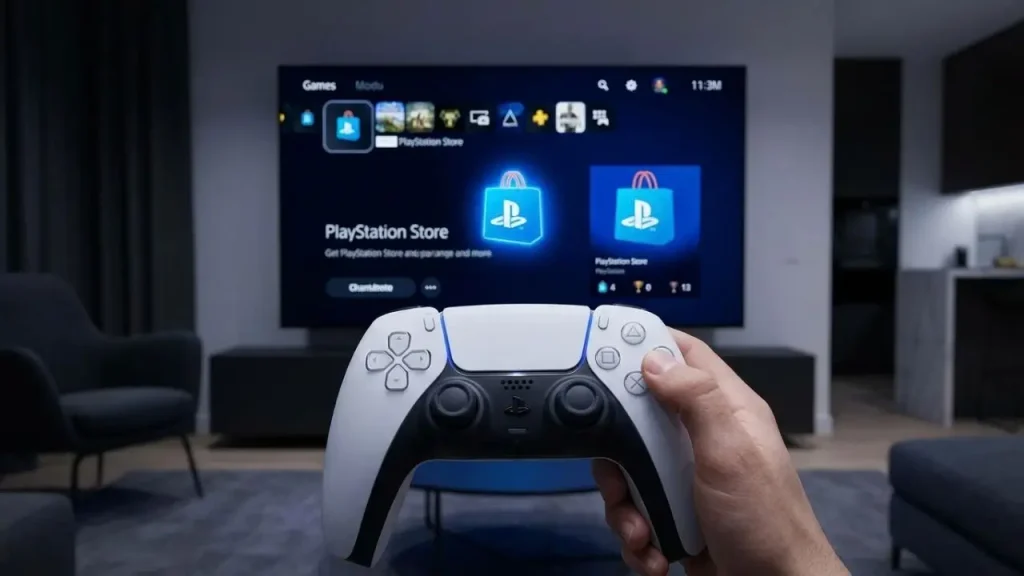
The biggest advantage of buying digitally is convenience. There is no need to purchase a physical copy; the game can be bought directly via the console. If you want to try out a new game late at night, you don’t have to wait for store opening hours or a delivery.
Managing your games is also convenient. Digital purchases can be centrally linked to your account. If you want to reinstall a game later, there is no need to search for a disc.
For those with a large digital library, searching for titles can also be easier. The collection can be managed directly through the user interface. At the same time, you avoid the hassle of swapping physical discs when switching between games.
It is also worth being aware of the downsides.
Digital games require storage space and usually an internet connection for downloading. Large games can take up many gigabytes of space during installation. Consequently, owners of consoles with limited storage often have to delete games or expand their available storage capacity.
Another difference concerns resale. A physical disc can usually be passed on or sold to someone else. A digitally purchased game does not work the same way as a used physical copy; instead, the purchase is linked to the specific digital account.
Pricing can also vary. Digital versions are not automatically cheaper than physical editions. It is therefore worth comparing prices if the player is considering both options.
How should you go about making a purchase in the PlayStation Store?
A well-considered purchase begins with the product page. You shouldn’t just look at the cover image and the price; key factors include the edition, platform, included content, and—where applicable—the age rating or other relevant information.
For games with multiple editions, the price difference can initially seem surprisingly large. A more expensive version often includes additional items or expansions. Whether these extras justify the higher price depends entirely on personal preference.
Storage space also warrants attention. A game can require a significant amount of space after downloading and installation. If you already have many titles installed, you should check that there is enough storage available before making a purchase.
Tips for families and younger players

Families should pay close attention to account settings and purchasing options. When multiple people share a console, it is important to establish clear rules regarding who is authorized to make purchases and which content is accessible to younger players.
In-game purchases are another factor to consider. A game might initially appear free or relatively inexpensive, yet offer additional purchases within the game itself. Establishing clear rules and using appropriate account settings can help prevent unexpected expenses.
Families looking for a more relaxed gaming experience can discover titles like Alba: A Wildlife Adventure, for example, which differs significantly from action-packed games.
Parents should also take into account age ratings and game descriptions. Not every popular game is automatically suitable for all ages; decisions should be based on the actual content and the specific needs of the child.
What should you know about digital purchases and account security?
A PlayStation account is essential for digital purchases, so protecting access to it is crucial. A strong, unique password is a simple yet vital foundation. Users should also consider utilizing any additional security features available.
Exercise particular caution regarding unfamiliar messages or websites claiming to offer free games, vouchers, or massive discounts. Scammers often try to trick users into revealing their account details; therefore, purchases should only be made through trusted channels.
Prepaid cards can also be a convenient option. They allow you to add a specific amount of credit to your account without using a payment method for every single transaction. However, when using these cards, it is important to ensure they match your region and to check the applicable terms and conditions.
Carefully review purchases and return policies
Digital purchases should be carefully checked before final confirmation. Selecting the wrong game, edition, or add-on content can lead to unnecessary hassle later on.
Anyone wishing to browse the latest digital games, expansions, and offers can visit the official PlayStation Store directly.
Refund options for digital products depend on the specific policies in place and the circumstances of the purchase. Consequently, you should not assume that every digital purchase can be easily reversed.
Taking a moment to double-check before buying can save you a lot of trouble: Is it definitely the right version? Is the game compatible with your console? Does it include the desired add-on content? And does the price fit your budget?
Conclusion
For many PlayStation players, the PlayStation Store is a central part of the digital gaming experience. It provides access to games, expansions, add-on content, special offers, and other digital products without the need for physical media.
Its greatest strength is convenience; a game can be selected, purchased, and downloaded directly. At the same time, players should understand the differences between digital and physical versions and consider factors such as storage space, internet connection, editions, and potential additional purchases.
Taking a moment to check product details and keep an eye on one’s budget before making a purchase allows players to make the most of the store. It is especially worthwhile to look closely at exactly what is included in the offer when there are significant discounts.
Ultimately, the PlayStation Store is more than just a place to buy games. It is a digital library, a marketplace for expansions, and a gateway to a large part of the PlayStation ecosystem. Understanding its features enables players to shop more strategically and better manage their digital game collections.
Frequently Asked Questions about the PlayStation Store
1. What is the PlayStation Store?
The PlayStation Store is the digital marketplace for PlayStation users. It allows you to purchase or download items such as PS5 and PS4 games, expansions, add-on content, and other digital products.
2. Can I re-download digital games I have purchased?
Generally, digitally purchased games can be re-downloaded using the account used for the original purchase. This is possible provided the purchase remains linked to that account and the product is still available.
3. Are games on the PlayStation Store always cheaper than disc versions?
No. Digital and physical versions can have different prices. Digital games may be heavily discounted during limited-time promotions, whereas at other times, a disc version might be cheaper.
4. Do I need an internet connection for digital PlayStation games?
An internet connection is usually required to purchase and download a digital game. Whether an already installed game works entirely offline depends on the specific title and its requirements.
5. Can I return games purchased from the PlayStation Store?
Refund eligibility depends on the applicable refund policy and the circumstances of the specific purchase. Therefore, you should carefully check the edition, platform, price, and included content before making a purchase.