
Introduction
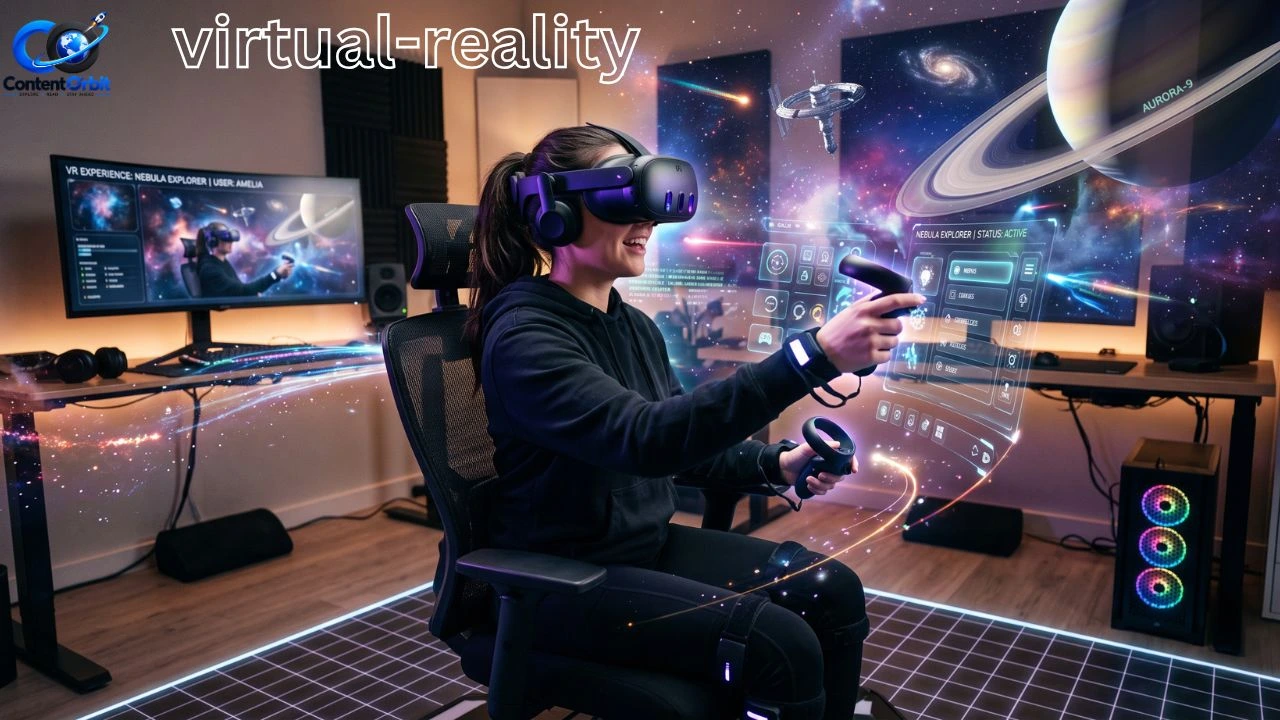
Virtual reality is a technology that lets you step inside a computer-made world. Instead of watching a game or video on a normal screen, you wear a headset that places digital images around you. When you move your head, the virtual world moves with you, making the experience feel much more real.
Today, VR is especially popular in gaming. Players can explore virtual worlds, fight enemies, drive cars, solve puzzles, play sports, and interact with other people in ways that traditional games cannot always provide. Modern VR systems can also use motion tracking, special controllers, 3D audio, and other features to create a stronger feeling of presence.
Some VR games focus heavily on exploration and storytelling. These games allow players to feel closer to the characters and events happening around them. You can also explore our guide to story driven games to discover more games built around strong narratives.
But VR is not only about games. It is also used for education, training, design, travel experiences, fitness, and other activities. In this guide, we will explain how VR works, what you need to use it, its main benefits and drawbacks, and how beginners can get started.
Table of Contents
- What Is Virtual Reality and How Does It Work?
- Types of Virtual Reality Devices and Experiences
- Virtual Reality Gaming: What Can You Do?
- Benefits, Drawbacks, and Safety Tips
- How to Choose and Get Started With VR
- Frequently Asked Questions
- Conclusion
What Is Virtual Reality and How Does It Work?
Virtual reality creates a digital environment that makes you feel as if you are inside another place. A VR headset usually has screens or display systems close to your eyes. These displays show separate images to each eye, which helps create a sense of depth.
The headset also tracks your head movements. If you look left, the virtual scene changes in the same direction. If you look behind you, you may see another part of the virtual environment. This simple idea is one of the main reasons VR feels different from playing a normal video game.
Virtual reality is not only used for entertainment, but it also creates a more immersive gaming experience. Players can explore virtual worlds, interact with objects, and enjoy games in a completely different way. If you want to explore some exciting options, check out our guide to best VR games.
How VR Creates an Immersive Experience
Several technologies work together to create the VR experience. The headset provides the visual world, while tracking systems follow your movements. Controllers can allow you to pick up objects, use tools, aim at targets, or interact with characters.
Some modern systems also use features such as eye tracking, hand tracking, haptic feedback, and 3D audio. For example, PlayStation VR2 uses eye tracking, headset feedback, 3D audio, and motion-sensitive controllers to make games feel more interactive.
A good example is a VR racing game. On a normal screen, you see the car from a chosen camera angle. In VR, you can turn your head and look toward the side of the track, check your surroundings, and feel more connected to the driving experience.
VR should not be confused with a normal 360-degree video. A 360-degree video lets you look around, but interactive VR can allow you to move, touch virtual objects, make choices, and affect what happens around you.
VR vs Augmented Reality
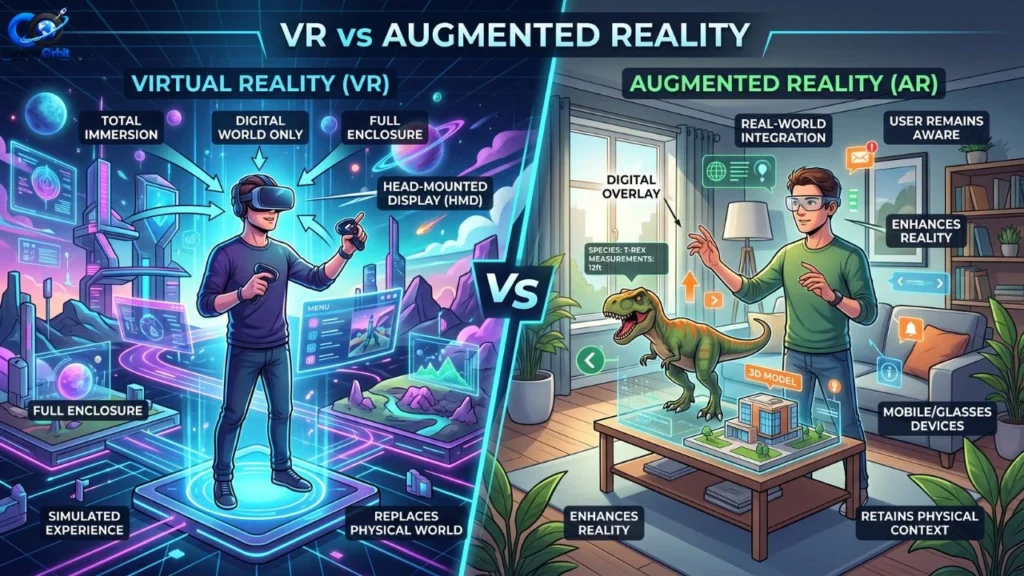
Virtual reality and augmented reality are related but different.
| Feature | Virtual Reality | Augmented Reality |
| Main idea | Creates a digital world | Adds digital objects to the real world |
| Real surroundings | Mostly blocked | Usually visible |
| Common hardware | VR headset | Phone, glasses, or AR headset |
| Gaming use | Full virtual environments | Digital objects mixed with reality |
| Example | Exploring a virtual game world | Seeing a virtual character in your room |
In simple terms, VR tries to take you into a digital world, while AR adds digital information to the real world.
Types of Virtual Reality Devices and Experiences
Not every VR system works in exactly the same way. Some headsets need a powerful gaming PC or console, while others can run many experiences on their own. Your choice depends on your budget, the games you want to play, and how much equipment you already own.
Virtual reality works especially well with exploration-based experiences because players can interact with their surroundings in a more natural way. Fans of exploration can also check out our guide to adventure games.
Standalone VR Headsets
Standalone headsets contain the hardware needed to run VR experiences without being connected to a gaming computer. This makes them convenient for beginners because there are fewer cables and setup requirements.
They are useful for people who want to play games, watch immersive content, exercise, or explore virtual environments without building a gaming PC.
PC VR
PC-based VR uses a computer to power the experience. A gaming PC can provide strong graphics performance, depending on its hardware and the headset being used.
PC VR can be attractive to serious gamers because computers can support a large range of VR games and applications. However, the setup can be more expensive and complicated than a standalone headset.
Console VR
Console VR connects the headset to a gaming console. One well-known example is PlayStation VR2, which is designed for PlayStation 5. Sony says PS VR2 includes features such as eye tracking, headset feedback, 3D audio, and Sense controllers.
PlayStation also offers a wide range of PS VR2 games, including action, adventure, horror, sports, puzzle, and multiplayer experiences.
Mobile and Simple VR
Mobile VR uses a smartphone or similar device to create basic immersive experiences. Google has also documented mobile VR platforms such as Daydream and Cardboard, which were designed to make VR experiences easier to access.
These simple systems can be useful for learning what VR feels like, although they generally do not provide the same level of tracking, graphics, and interaction as modern gaming headsets.
Virtual Reality Gaming: What Can You Do?
Gaming is one of the most exciting uses of VR because it changes how players interact with digital worlds. Instead of controlling everything from a traditional controller while looking at a TV, you can often use your head and hands as part of the game.
For example, an adventure game may let you physically look around a mysterious cave. An action game may allow you to aim with motion-controlled weapons. A sports game can place you inside a virtual stadium.
Action-focused VR titles can make combat and movement feel more interactive. If you enjoy fast-paced gameplay, you may also want to explore our collection of action games.
r Types of VR Games
VR games cover many genres, including:
- Action games
- Adventure games
- Horror games
- Racing games
- Sports games
- Puzzle games
- Simulation games
- Rhythm games
- Multiplayer games
- Survival games
This variety means VR is not limited to one type of player. Someone who dislikes shooting games may still enjoy puzzles, fitness experiences, racing, or relaxing exploration.
Why VR Games Feel Different
The biggest difference is interaction. In a traditional game, you may press a button to perform an action. In VR, you may physically move your controller or hand to perform something similar.
Some systems also support room-scale experiences. This means the player can move around a defined physical area while interacting with the virtual environment. PlayStation explains that some PS VR2 games support sitting, standing, or room-scale play depending on the game.
VR multiplayer games can also create a stronger feeling of being together. Players may see virtual versions of other people, communicate through microphones, and work together to complete tasks.
However, the quality of a VR game depends heavily on its design. A headset alone cannot make every game enjoyable. Good VR games use movement, controls, camera design, sound, and interaction carefully to make the experience comfortable and fun.
Benefits, Drawbacks, and Safety Tips
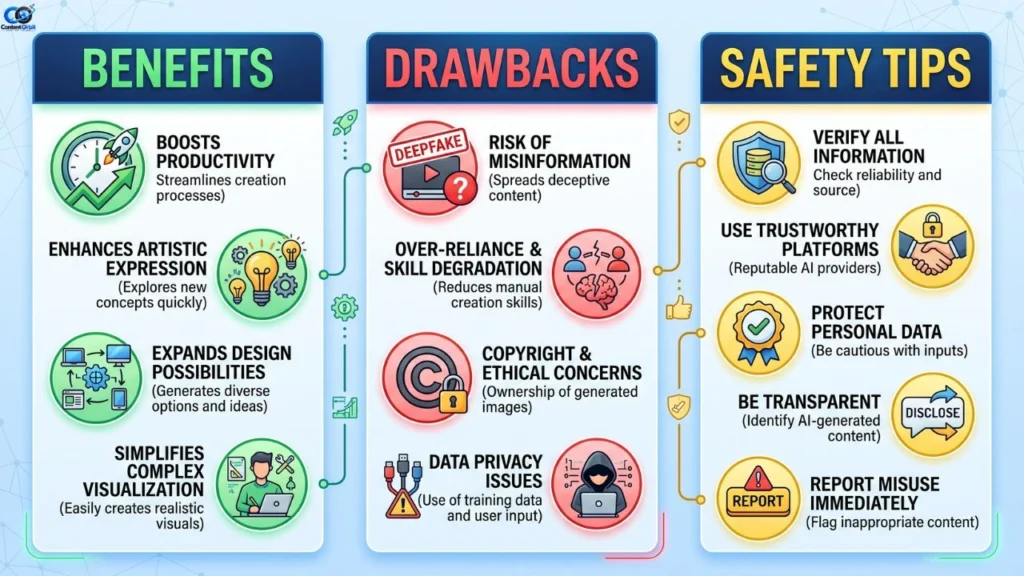
VR has several advantages, but it also has limitations. Understanding both sides can help you decide whether it is right for you.
Players who enjoy character development and memorable narratives may also like traditional story-focused titles. Our list of the best story games of all time can help you find more games with engaging plots.
Popula
Benefits of VR
1. Strong immersion
VR can make you feel closer to the action because the virtual environment surrounds your view.
2. More interactive gameplay
Motion controllers and tracking can make actions feel more natural than using buttons alone.
3. New ways to learn
Virtual environments can allow students and trainees to explore places or situations that may be difficult to experience in real life.
4. Fitness opportunities
Some VR experiences encourage users to move their bodies, making exercise feel more like a game.
5. Social experiences
Multiplayer VR can allow people to communicate and interact in shared virtual environments.
Drawbacks of VR
VR is not perfect. Headsets can be expensive, and some systems require additional hardware. A powerful PC or console may also be necessary for certain experiences.
Comfort is another important issue. Some people experience motion sickness, nausea, dizziness, blurred vision, or disorientation while using VR. Sony’s official PS VR2 safety information specifically warns users to stop using the headset if these symptoms occur.
Another problem is physical space. Players can become so focused on the virtual world that they may forget about objects around them. A small room, table, chair, wall, or pet can become a safety risk if the play area is not prepared properly.
Common VR Mistakes
New users often make a few simple mistakes:
- Playing for too long during the first session
- Ignoring signs of motion sickness
- Using VR in a crowded room
- Choosing games with uncomfortable movement
- Wearing a poorly adjusted headset
- Forgetting to keep controllers secured
- Buying a headset without checking compatibility
Start slowly. If you feel uncomfortable, remove the headset and take a break. Do not try to push through dizziness or nausea.
You should also follow the safety instructions supplied with your particular headset. For example, PlayStation states that PS VR2 is not intended for children under 12 and recommends reading its health and safety warnings before use.
How to Choose and Get Started With VR
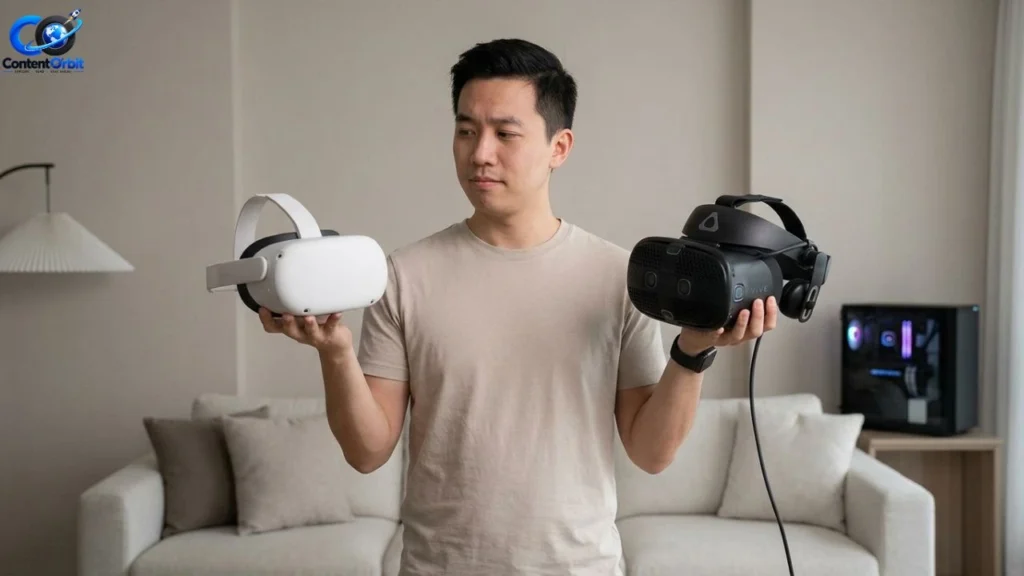
Buying your first headset can seem confusing because there are many options. The best choice depends on what you want to do with it.
Think About Your Main Use
Start by asking yourself what you actually want from VR.
If gaming is your main goal, look at the games available for the platform before buying the headset. A cheaper headset is not necessarily better if it cannot run the games you want.
If you already own a gaming PC or PlayStation 5, check compatible VR options for that system. This may save you from buying additional hardware.
Check These Features
Before purchasing a headset, consider:
- Compatibility: Make sure it works with your PC, console, or other device.
- Comfort: You may wear the headset for long sessions, so fit matters.
- Tracking: Better tracking can make movement and interaction feel more natural.
- Controllers: Check how the included controllers work.
- Game library: Make sure the games you want are available.
- Play area: Check how much physical space is needed.
- Price: Include the cost of accessories or required hardware.
- Safety features: Read the manufacturer’s health and safety information.
For example, PS VR2 requires a PlayStation 5 console, and some room-scale games require a clear play area.
Tips for First-Time VR Users
Your first VR session should be simple. Start with a comfortable experience that allows you to sit or stand without lots of fast movement.
Avoid jumping immediately into games with intense flying, spinning, or artificial movement. Your brain and body need time to adjust to the difference between what your eyes see and what your body feels.
Keep the headset clean, adjust it properly, and make sure the room is clear. Take regular breaks, especially during your first few sessions.
Most importantly, choose games based on your comfort level rather than graphics alone. A simple game that feels comfortable can be much more enjoyable than a visually impressive game that makes you feel sick.
Is VR Worth It?
For gamers who enjoy immersive experiences, VR can be worth the investment. It offers a different way to experience action, adventure, racing, horror, sports, and multiplayer games.
However, VR is not necessary for everyone. If you prefer traditional gaming, do not feel pressured to buy a headset. VR is best viewed as another way to play rather than a replacement for every other gaming platform.
PlayStation VR2 Official Guide — Useful for VR hardware, features, compatibility, and safety information.
10 Frequently Asked Questions About Virtual Reality
1. What is virtual reality?
Virtual reality is technology that creates computer-generated environments that users can explore and interact with using a headset and, in many cases, motion controllers.
2. Is VR only used for gaming?
No. VR is also used for education, training, design, fitness, entertainment, simulations, and other applications.
3. Do I need a powerful PC for VR?
Not always. Some standalone headsets can run VR experiences without a PC. PC VR systems, however, may require a suitable gaming computer.
4. Can VR games be played sitting down?
Yes. Some VR games support seated play. Other games may require standing or room-scale movement, so check the game’s requirements first.
5. Is VR better than normal gaming?
It depends on the player. VR offers stronger immersion and physical interaction, while traditional gaming is often simpler and more comfortable for long sessions.
6. Can VR cause motion sickness?
Yes. Some people experience motion sickness, nausea, dizziness, or discomfort during VR. Taking breaks and choosing comfortable experiences can help.
7. How long should beginners use VR?
There is no single perfect time for everyone. Beginners should start with short sessions and take a break whenever they feel tired or uncomfortable.
8. Is VR safe for children?
Safety depends on the headset, the child’s age, the content, and the manufacturer’s guidelines. Parents should always check the specific device’s age and safety requirements.
9. What games can you play in VR?
You can find action, adventure, horror, racing, sports, puzzle, rhythm, simulation, survival, and multiplayer VR games.
10. Is VR worth buying for gaming?
It can be a great choice if you enjoy immersive and interactive games. Before buying, check the headset’s game library, compatibility, comfort, and total cost.
Conclusion
Virtual reality has changed gaming by allowing players to step inside digital worlds instead of simply viewing them on a screen. With a compatible headset, users can explore environments, interact with objects, play sports, race cars, solve puzzles, and enjoy multiplayer experiences in new ways.
The technology has clear benefits, but it also has drawbacks. Cost, comfort, compatibility, physical space, and motion sickness are all important factors to consider. Beginners should start slowly, prepare a safe play area, and follow the manufacturer’s instructions.
For gamers, the best approach is to choose VR based on the experiences you actually want to play. If you enjoy immersive action, adventure, horror, racing, sports, or social games, VR can offer an exciting new way to experience them.